


BACKEND FAVICON
Configure a company-specific favicon for the Odoo backend.
Table of contents
APPLICATION HIGHLIGHTS [back]
What's in it?
A backend favicon configuration tool that,
- Allows a separate favicon for the Odoo backend
- Stores the favicon per company for multi-company environments
- Keeps backend favicon configuration separate from Website settings
- Uses a public attachment URL so browser tabs can load the favicon reliably
FUNCTIONALITY [back]
FEATURES
- Upload the favicon from General Settings.
- Save the uploaded file as a public attachment.
- Show the favicon in backend browser tabs for the active company.
- Fallback to the default Odoo favicon if no backend favicon is configured.
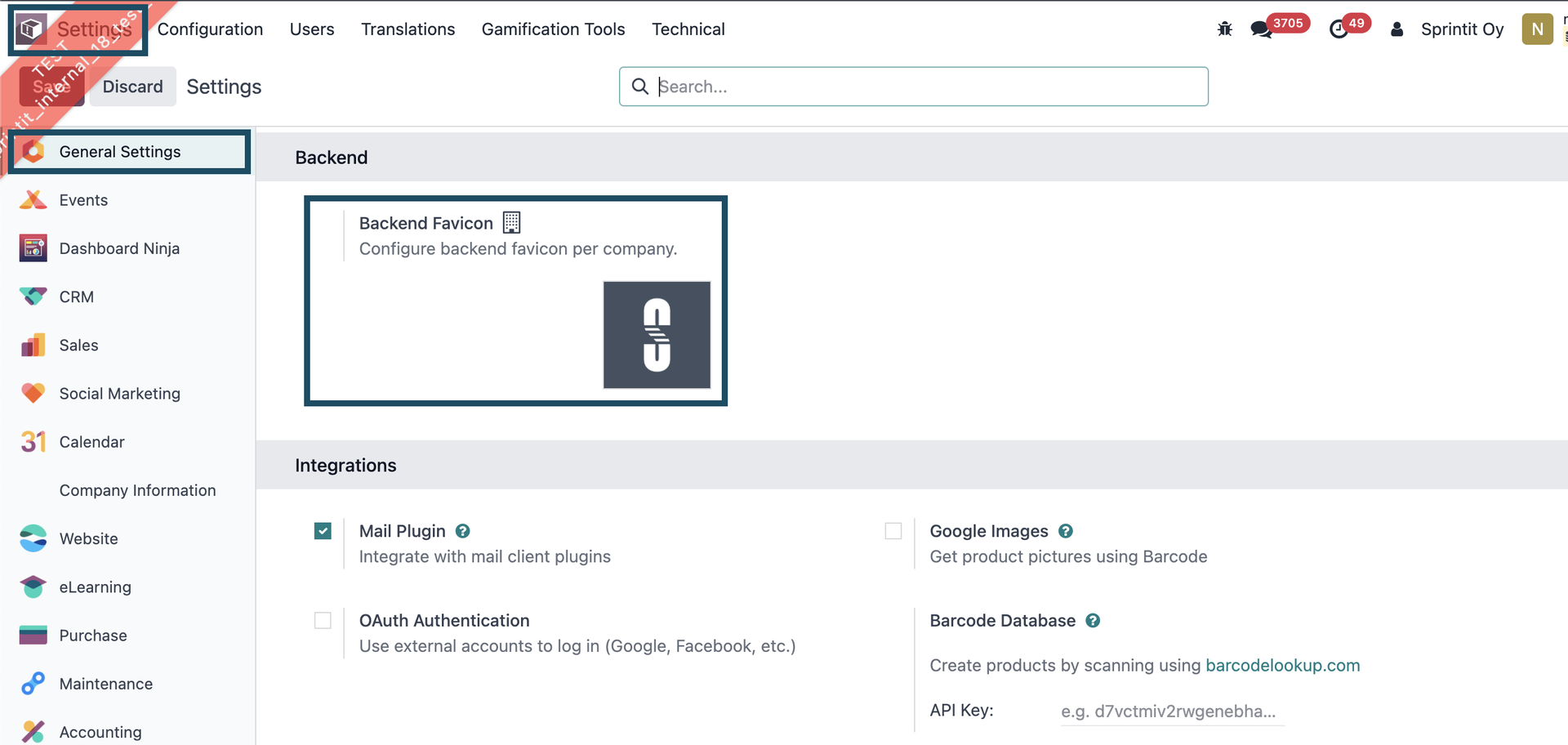
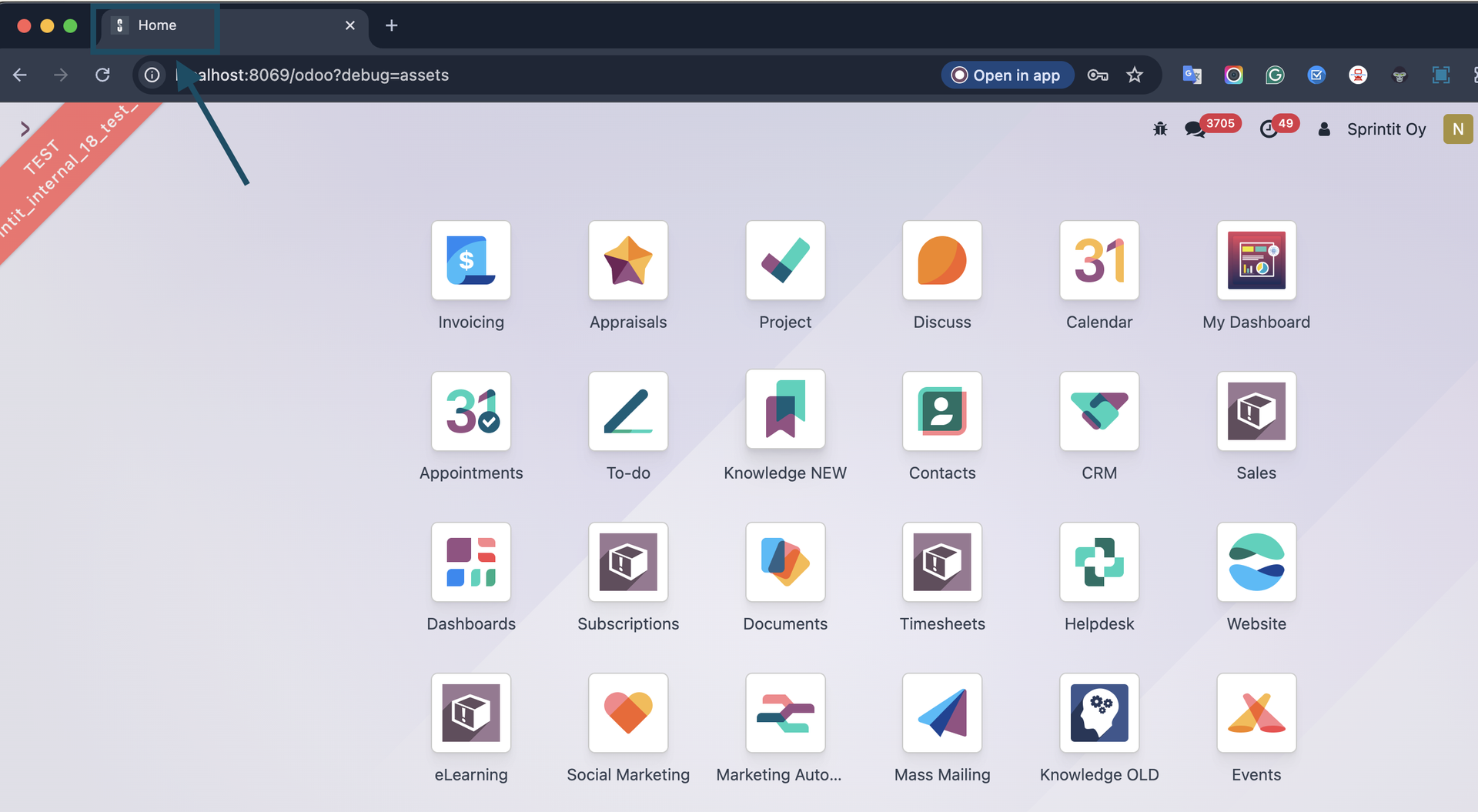
1. Configure Backend Favicon from General Settings.
2. Save the settings to generate the public attachment URL.
3. Open the backend with the selected company to see the configured browser tab icon.
Configuration [back]
Open Settings and locate the Backend section. Upload the Backend Favicon for the selected company and save the settings.
In a multi-company setup, switch the active backend company and save a different favicon for each company as needed.
SprintIT improves its customers' competitiveness and growth potential with Odoo.
We constantly develop new Odoo modules to help our customers run their business more smoothly and efficiently.
We regularly publish our new modules in the Odoo App Store.
SprintIT brings together agility, business understanding and a professional way of working.
Our skilled developers can tailor Odoo to meet your needs.

We are the first Odoo Gold partner in Finland. We are renowned for our professional developers and we want to tailor the ERP solution for you.